
Windows 有幾種關機的方式:
- Fast Startup
- Full Shutdown
- Hibernate
要怎麼知道本次開機的狀態(原因)呢?
打開 PowerShell 就可以
$boot = Get-WinEvent -ProviderName Microsoft-Windows-Kernel-boot -MaxEvents 10 | Where-Object {$_.message -like “The boot type*”}; $boot| format-list
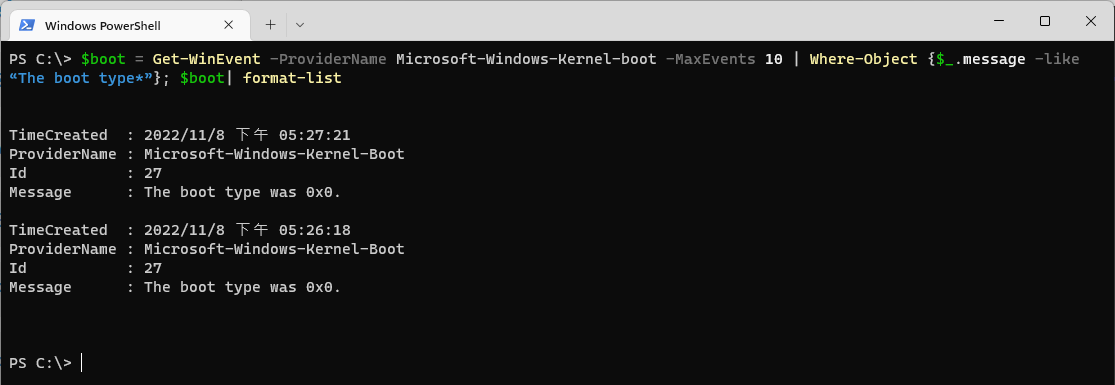
簡單來說,就是利用Event Viewer來查看是否有 Microsoft-Windows-Kernel-boot 這一類的事件,且包含 “The boot type*" 的訊息,通常被查出來的會是 ID 27。
所以這樣的指令也可以:Get-WinEvent -ProviderName Microsoft-Windows-Kernel-boot -MaxEvents 10 | Where-Object {$_.id -like “27”}
而 Boot type 表示的意義如下
- 0x0- cold boot from full shutdown
- 0x1- hybrid boot (fast startup)
- 0x2- resume from hibernation
這裡有個陷阱,如果沒有注意Event發生的時間,可能會有誤判。
殘念的是,以 Hibernate 來說,似乎只有Windows 8/Windows 10適用這個方法來查證,Windows 11已經不為它產生 Event ID 27了。
 薪柴之間
薪柴之間 