
# How to do Git-Clone by TortoiseGit from GitHub to Local
git 初學者可以安裝 TortoiseGit 來使用圖形化介面(GUI) 操作。
當你需要從 GitHub 或是 GitServer 下載專案程式碼時,先取得該專案的 URL。
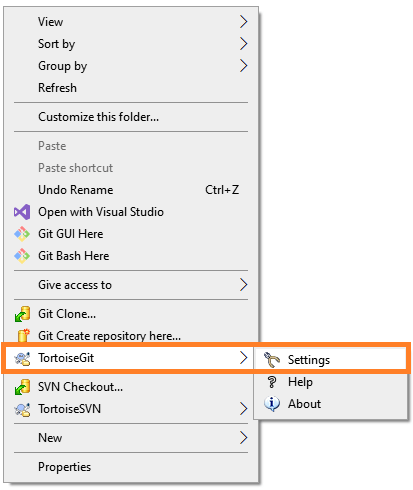
本機上,在檔案總管裡,滑鼠按右鍵,選擇 TortoiseGit > Settings.
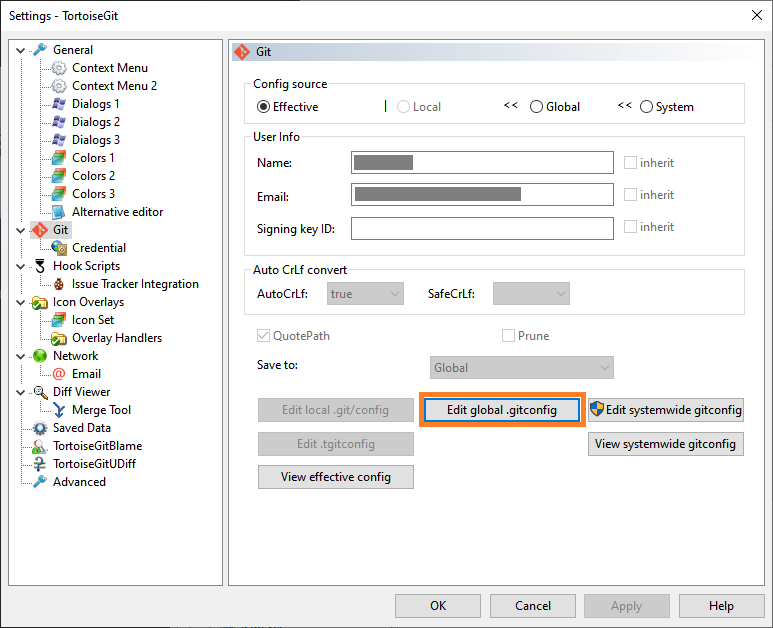
從右邊欄點擊 Git ,然後點 “Edit global .gitconfig" 進行編輯。
加入以下這一段,主要就是
- 確認你 GITHUB 上面的 Repository HTTPS URL。
- useHttpPath = true
[credential “https://github.com/yourgit/yourrepo.git“]
helper = wincred
username = urname
useHttpPath = true
設定完成後,就可以使用 TortoiseGit 進行 git clone, 在彈出詢問帳號密碼的視窗,輸入驗証即可。
 薪柴之間
薪柴之間 